UP Modal: Connect Universal Profiles
UP Modal is LUKSO’s recommended way to connect Universal Profiles to your dApp. It provides a ready-made connection flow for the UP! App and UP Browser Extension.
The @lukso/up-modal package supports the UP! App (UP mobile app) via WalletConnect, the UP Browser Extension via EIP-6963, and other EOA wallets. It uses Wagmi for connection management, so you can use Wagmi APIs alongside the modal.

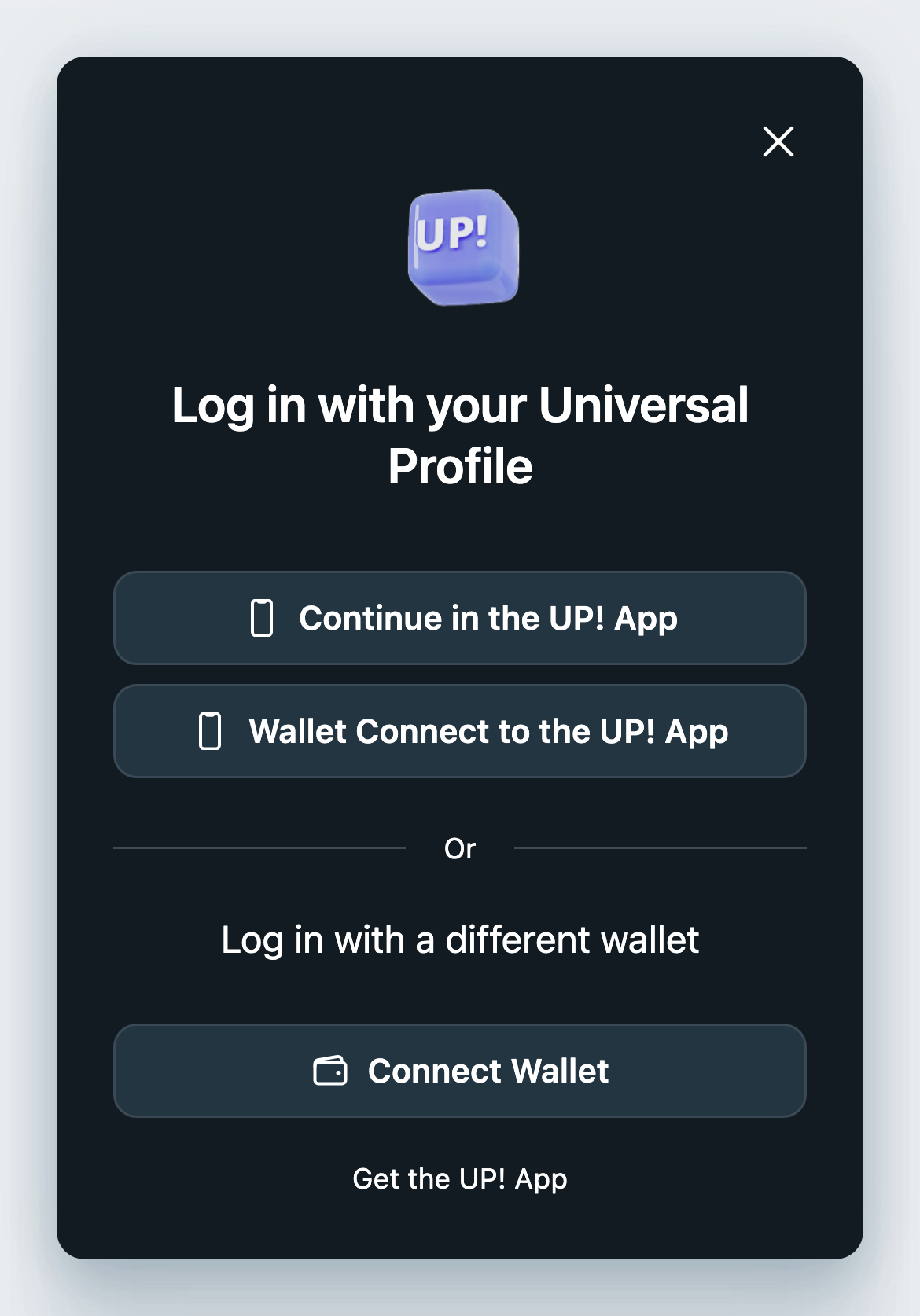
Supported connections
UP Modal supports these connection methods:
| App | How |
|---|---|
| UP! App | WalletConnect (deep link on mobile, QR code on desktop) |
| UP Browser Extension | Browser extension, detected via EIP-6963 |
| EOA wallets | Other EIP-6963 wallets (MetaMask, Coinbase, etc.) |
Installation
# pnpm
pnpm add @lukso/up-modal

# npm
npm install @lukso/up-modal

# yarn
yarn add @lukso/up-modal
For the setupLuksoConnector() examples below, also install these peer dependencies. The package marks them optional, but its default Wagmi setup imports both at runtime:
npm install @wagmi/core@^3 viem@^2
Minimal Setup
Initialize modal
Initialize once in your app’s browser code, after the page has mounted:
import { setupLuksoConnector } from '@lukso/up-modal';

const connector = await setupLuksoConnector();
The default setup uses LUKSO’s WalletConnect project ID. To use your own Reown project, pass walletConnect: { projectId: 'YOUR_REOWN_PROJECT_ID' } in the options. See the API reference for configuration.
Open the connection modal
Call this from your Connect button’s click handler:
connector.showSignInModal();
Open the Sign Up modal
connector.showSignUpModal();

Framework Integrations
- Vue 3
- Nuxt
- React
- Svelte
Full working example.
connector.ts (singleton, initialize once):
import { setupLuksoConnector, type LuksoConnector } from '@lukso/up-modal';

export const connectorPromise: Promise<LuksoConnector> = setupLuksoConnector({
  theme: 'light',
});
App.vue:
<script setup lang="ts">
  import { ref, onMounted, onUnmounted } from 'vue';
  import { getConnection, disconnect } from '@wagmi/core';
  import { connectorPromise } from './connector';

  const address = ref<string | null>(null);
  const connector = ref<Awaited<typeof connectorPromise> | null>(null);
  const ready = ref(false);
  let unwatch: (() => void) | null = null;

  onMounted(async () => {
    connector.value = await connectorPromise;
    const { wagmiConfig } = connector.value;

    function syncAddress() {
      const conn = getConnection(wagmiConfig);
      address.value = conn?.isConnected ? (conn.address ?? null) : null;
    }

    syncAddress();
    ready.value = true;
    unwatch = wagmiConfig.subscribe((s) => s.status, syncAddress);
  });

  onUnmounted(() => unwatch?.());

  function openModal() {
    connector.value?.showSignInModal();
  }

  async function handleDisconnect() {
    await disconnect(connector.value!.wagmiConfig);
    address.value = null;
  }
</script>

<template>
  <div v-if="ready && address">
    <p>Connected: {{ address }}</p>
    <button @click="handleDisconnect">Disconnect</button>
  </div>
  <button v-else-if="ready" @click="openModal">Connect</button>
</template>
Plugin (plugins/lukso.client.ts):
import { setupLuksoConnector } from '@lukso/up-modal';
import type { LuksoConnector } from '@lukso/up-modal';

let connector: LuksoConnector | null = null;

export default defineNuxtPlugin(async () => {
  if (process.server) return;

  connector = await setupLuksoConnector({
    theme: 'light',
    onConnect: (event) => console.log('Connected:', event.detail),
  });
});

export { connector };
Component:
<template>
  <button @click="connector?.showSignInModal()">Connect Wallet</button>
</template>

<script setup lang="ts">
  import { connector } from '~/plugins/lukso.client';
</script>
Full working example.
import { setupLuksoConnector } from '@lukso/up-modal';
import type { LuksoConnector } from '@lukso/up-modal';
import { useEffect, useState } from 'react';

export function ConnectButton() {
  const [connector, setConnector] = useState<LuksoConnector | null>(null);

  useEffect(() => {
    setupLuksoConnector({
      theme: 'light',
      onConnect: (event) => console.log('Connected:', event.detail),
    }).then(setConnector);
  }, []);

  return (
    <button disabled={!connector} onClick={() => connector?.showSignInModal()}>
      Connect Wallet
    </button>
  );
}
Watching connection state (requires @wagmi/core):
import { watchConnection } from '@wagmi/core';

const stopWatching = watchConnection(connector.wagmiConfig, {
  onChange: (connection) => {
    console.log('Address:', connection.address);
  },
});
Initialization (src/lib/connector.svelte.ts):
import { setupLuksoConnector } from '@lukso/up-modal';
import type { LuksoConnector } from '@lukso/up-modal';

export const connector: { current: LuksoConnector | null } = $state({
  current: null,
});

export async function initConnector() {
  connector.current = await setupLuksoConnector({
    theme: 'light',
    onConnect: (e) => console.log('Connected:', e.detail),
  });
}
Component (ConnectButton.svelte):
<script lang="ts">
  import { connector, initConnector } from '$lib/connector.svelte'

  $effect(() => {
    initConnector();
  });
</script>

<button onclick={() => connector.current?.showSignInModal()}>
  Connect Wallet
</button>
Resources
For custom connection interfaces, see the provider guides. For Grid mini-apps, use UP Provider. Backend authentication is covered separately in the Sign-In with Ethereum guide.